FREE Sketch Status Update Icon: A Practical Choice for Designers and Developers
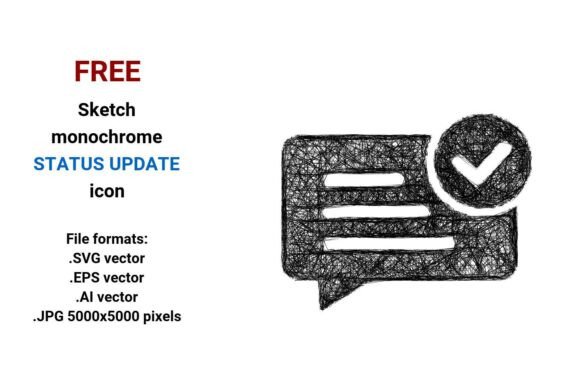
The FREE Sketch Status Update Icon is a hand-drawn, minimalist line-art representation of a status or system update — intentionally expressive, not rigidly technical. Unlike polished flat icons or rigid UI symbols, it conveys movement, responsiveness, and human intention through subtle curves, uneven strokes, and visible pen-like texture. It’s designed to signal change — whether a system check, a workflow step, or a notification state — without feeling sterile or over-engineered.
What Makes This Icon Distinct?
Its distinction lies in execution and intent. While many status icons prioritize clarity at small sizes (e.g., 16×16 pixels), the FREE Sketch Status Update Icon leans into expressiveness first. The sketch aesthetic — with its slight wobble, tapered lines, and organic rhythm — suggests iteration, feedback, or real-time awareness. It works especially well where tone matters: internal dashboards, pitch decks, design system documentation, or product onboarding flows that aim for approachability over austerity.
This isn’t just a “status” icon repurposed with a sketch filter. It’s built from the ground up as line art: each curve is deliberate, each endpoint tapered like ink drying on paper. That authenticity carries through all four included formats — .SVG vector, .EPS vector, .AI vector, and .JPG (5000×5000 pixels) — preserving fidelity whether scaled to a mobile button or printed at poster size.
How Vector Format Impacts Real-World Use
A vector image is defined by mathematical paths — points, lines, Bézier curves — rather than fixed pixels. That means the FREE Sketch Status Update Icon remains razor-sharp at any scale. Whether embedded in a responsive web interface (SVG), placed in Adobe Illustrator for refinement (AI/EPS), or exported to high-res raster for print or presentations (JPG), no quality is lost in translation.
This contrasts sharply with bitmap-only icons. A 5000×5000 JPG alone would be impractical for web use (large file size, no scalability), but paired with SVG, it gives designers flexibility: SVG for performance-critical UIs, JPG for pixel-perfect mockups or slide backgrounds where anti-aliasing control matters. The EPS and AI files support deep editing — adjusting stroke weight, recoloring individual paths, or integrating into larger illustrated systems.
When Does a Sketch Style Fit — and When Doesn’t It?
Sketch-style icons excel in contexts where warmth, iteration, or creative process are part of the message. For example:
- A developer tool’s “system status” panel that shows live deployment progress — the sketch icon signals “this is active, evolving, not final.”
- An internal product roadmap presentation — using the FREE Sketch Status Update Icon next to “Q3 Features” reinforces forward motion without corporate rigidity.
- A design system’s “status update button” component library — offering both a clean line version and this sketch variant lets teams choose tone based on audience.
But sketch aesthetics carry tradeoffs. At very small sizes (<18px), fine line variation can blur or disappear on low-DPI screens. In highly regulated environments (e.g., medical device UIs or aviation dashboards), consistency and instant recognition often outweigh stylistic nuance — here, a bold, monoline or filled-status icon may be more appropriate. Likewise, if your brand guidelines mandate strict geometric precision or color-controlled assets, the hand-drawn irregularity may require adaptation — not replacement, but thoughtful integration.
Comparing Use Cases: Sketch vs. Standard Status Icons
Standard “status” or “update” icons — circles with checkmarks, spinning loaders, or bell-shaped notifications — prioritize universal legibility. They’re optimized for speed of comprehension, not personality. The FREE Sketch Status Update Icon serves a different need: reinforcing voice and context. Think of it less as a replacement for a system status indicator and more as a complementary layer — one that answers not just “what’s happening?” but also “how does this feel?”
For instance, a SaaS dashboard might use a standard green dot + “Online” label for server health (clarity first), while deploying the sketch icon beside a “Last updated: 2 min ago” timestamp (tone and rhythm). That pairing leverages both strengths: reliability from convention, resonance from craft.
Practical Integration Considerations
Because it’s delivered in multiple vector formats, integration depends on your workflow:
- Web developers will likely default to the .SVG vector — lightweight, accessible (supports ARIA labels), and styleable via CSS (stroke color, width, animation).
- UI/UX designers working in Figma or Sketch can import the SVG directly or place the AI file for precise path adjustments — useful when aligning with custom icon families or adjusting stroke contrast for accessibility.
- Print or presentation designers benefit from the 5000×5000 JPG for crisp full-page illustrations, and the EPS for embedding in InDesign layouts without font or rendering dependencies.
Note: While the sketch style reads clearly at medium sizes (48–96px), avoid using the JPG version for responsive UIs. Its fixed resolution doesn’t scale — unlike SVG, which adapts fluidly across devices.
Strengths, Limitations, and Decision Factors
Strengths:
- Human-centered tone without sacrificing technical utility
- True scalability across formats — no pixelation, no distortion
- Ready for customization: recolor, resize, layer, or animate without degradation
- Well-suited for storytelling contexts — pitches, prototypes, internal comms
Limitations:
- Less effective in ultra-low-resolution or tiny-size applications (e.g., status bar icons on older mobile OS)
- May require minor contrast or stroke-weight tweaks for WCAG AA compliance in some color pairings
- Not ideal if your design system forbids variable line weights or organic imperfection
Ask yourself: Is the goal immediate functional recognition — or layered meaning? Does your audience respond better to polished efficiency or crafted authenticity? If the latter, the FREE Sketch Status Update Icon offers rare balance: professional-grade vector precision wrapped in intentional imperfection.
Where It Fits in Broader Design Ecosystems
This icon sits comfortably alongside other line icon and minimal line sketch resources — not as a standalone solution, but as a flexible node in a broader toolkit. It complements rather than competes with system status buttons, notification badges, or update indicators built for strict consistency. Used thoughtfully, it adds dimension: a sketch status update icon beside a clean system status button creates visual hierarchy and narrative depth.
It’s also compatible with modern design practices like token-based theming (via SVG CSS variables) and dark-mode switching (by adjusting stroke color dynamically). And because it’s free and openly licensed for most commercial and personal use, it lowers the barrier to experimenting with expressive UI language — no licensing friction, no attribution overhead.
Making the Call: Is This the Right Icon for Your Project?
Choose the FREE Sketch Status Update Icon if you value:
- Expressive, non-generic visual language
- Full vector flexibility across design and development tools
- Scalable assets that retain character at any size
- A balance between sketch authenticity and production-ready polish
Consider alternatives if you need:
- Guaranteed legibility below 24px in all viewing conditions
- Strict adherence to iconographic conventions (e.g., ISO-standard symbols)
- Pre-built animated variants (e.g., pulsing, rotating) — this icon is static by design
- Multi-color or gradient versions — it’s delivered as single-stroke line art
In short: the FREE Sketch Status Update Icon isn’t about replacing standard status visuals — it’s about expanding the vocabulary available to communicate system behavior with honesty, clarity, and quiet confidence.