FREE Sketch Corporate Tax Icon
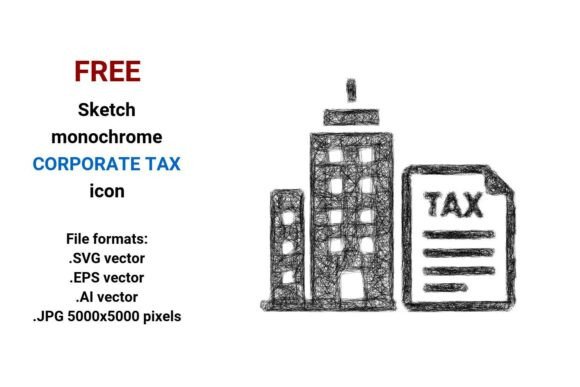
Need a clean, expressive, and instantly recognizable visual for tax-related content? The FREE Sketch Corporate Tax Icon delivers exactly that — not as a stiff, bureaucratic symbol, but as a light, human-centered design rooted in hand-drawn authenticity. It’s not just another clipart-style tax icon. It’s a sketch vector icon — deliberately imperfect, intentionally minimal, and built to scale flawlessly across any medium.
This icon set includes four versatile file formats: .SVG, .EPS, .AI, and high-resolution .JPG (5000×5000 pixels). That means whether you’re embedding it into a responsive website UI, dropping it into an Illustrator layout for a client presentation, or printing it on a large-format financial services brochure, the quality stays sharp — no pixelation, no distortion, no compromise.
Why a Sketch-Style Corporate Tax Icon Works So Well
In finance and business communication, clarity and trust are non-negotiable — but so is approachability. A rigid, overly technical icon can unintentionally signal distance or complexity. A minimal sketch icon, by contrast, conveys honesty, transparency, and human intention. Its hand-drawn strokes suggest thoughtfulness — like a CFO sketching ideas on a whiteboard, or an entrepreneur mapping out quarterly filings with pen and paper.
This isn’t about “dumbing down” corporate tax concepts. It’s about humanizing them. Whether you're designing a dashboard for small business owners filing their first company tax return, building an educational microsite for freelancers navigating business tax obligations, or crafting social media visuals for a CPA firm, this icon bridges professionalism and relatability.
Creative Applications Across Real Projects
Designers and marketers don’t just use icons — they reinterpret them. Here’s how different creators are putting the FREE Sketch Corporate Tax Icon to work:
- UI/UX designers integrate the corporate tax button variant into tax-filing SaaS dashboards — pairing it with subtle hover animations and consistent stroke weights to reinforce brand voice.
- Educators and course creators drop the line art sketch version into explainer videos and slide decks, using its simplicity to focus attention on key concepts — like distinguishing between business tax and company tax responsibilities.
- Small business owners and solopreneurs embed the sketchy icon into invoices, email footers, or Notion tax trackers — adding quiet visual cohesion without investing in custom illustration.
- Bloggers and content marketers use the pen-drawn icon alongside infographics comparing tax deadlines, deductions, or entity structures — letting the sketch style soften otherwise dense topics.
Because it’s delivered in vector formats (.SVG, .EPS, .AI), you can recolor it in seconds to match your brand palette — no need to redraw. Want it navy blue for a formal report? Teal for a fintech app? Warm charcoal for a coaching newsletter? Done. And because the .JPG is ultra-high-res, it holds up beautifully in printed annual reports or investor pitch decks.
Adapting for Different Audiences and Platforms
One icon — many contexts. The key is intentional adaptation, not just resizing.
For small business owners, pair the icon with plain-language labels like “File Your Company Tax” or “Track Business Tax Deductions.” Keep surrounding text conversational and action-oriented — avoid jargon like “corporate statutory compliance.”
For designers building financial dashboards, treat the icon as part of a cohesive line art sketch system. Use consistent stroke weight (1.5 pt works well), align it precisely with other UI elements, and ensure spacing follows your design system’s baseline grid. Its rough aesthetic shouldn’t feel accidental — it should feel considered.
On social media, especially Instagram or LinkedIn carousels, use the sketch icon as a visual anchor in step-by-step posts: “Step 3: Review Your Corporate Tax Summary → [icon]”. Its simplicity ensures legibility even at thumbnail size.
For print materials like workshop handouts or tax-season checklists, scale the .EPS version to 1.25 inches wide — large enough to read clearly, small enough to leave breathing room around text. Avoid overusing it; one well-placed sketch illustration carries more weight than three scattered copies.
Keeping It Clear, Consistent, and Original
Using a free icon doesn’t mean sacrificing originality — it means working smarter. To keep your output distinctive:
- Combine intentionally: Layer the corporate tax icon with custom typography (e.g., a clean sans-serif headline + handwritten subhead) or subtle background textures — like faint grid lines or paper grain — to reinforce the “sketched idea” metaphor.
- Stay consistent in usage: If you use the sketch icon for “tax filing,” don’t switch to a flat icon for “quarterly payments.” Visual continuity builds recognition and reduces cognitive load.
- Respect context: In formal regulatory documents, tone down the sketchiness — maybe use only the SVG version with uniform black stroke and no texture overlay. In a startup’s internal tax-readiness guide? Go bolder — add a light shadow or pair it with a hand-drawn arrow or checklist.
Remember: the strength of this freehand icon lies in its restraint. It doesn’t try to illustrate every nuance of corporate taxation — it invites the viewer to engage with the idea. That makes it unusually flexible across industries: accounting firms, edtech platforms, government outreach programs, even nonprofit capacity-builders helping community enterprises understand business tax basics.
A Practical Starting Point
You don’t need a full rebrand to benefit from the FREE Sketch Corporate Tax Icon. Start small:
- Add it to your next tax-season email subject line preview (as a tiny inline image).
- Swap out a generic “document” icon in your accounting software’s sidebar for this stroke sketch icon.
- Use the .AI file to trace over and adapt one element — say, the briefcase shape — into a custom logo mark for your tax consultancy.
What matters isn’t how much you change it — it’s how meaningfully you place it. In a world saturated with polished, AI-generated visuals, a thoughtful, pen-drawn icon stands out not for being flashy, but for feeling true.