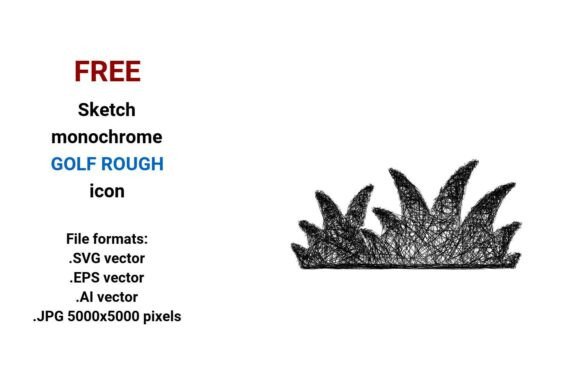
FREE Sketch Golf Rough Icon
If you're designing a golf-related website, app, dashboard, or marketing asset—and need visual shorthand for the course rough, you’ll appreciate how much clarity and character a well-crafted icon brings. The FREE Sketch Golf Rough Icon delivers exactly that: a hand-drawn, expressive representation of rough grass that feels intentional, not generic. It’s not just decorative—it’s functional storytelling in line art form.
What Makes This Icon Stand Out?
This isn’t a sterile, over-polished vector. It’s a sketch-style icon—loose, confident, and human. The lines carry subtle weight variation, mimicking pencil pressure. There’s gentle hatching in the grass blades, slight irregularity in stem angles, and an organic rhythm that signals “hand-drawn” without sacrificing legibility. That authenticity matters—especially when you’re building trust with users who respond to warmth and craft.
It’s delivered in four production-ready formats: .SVG (ideal for responsive web use), .EPS and .AI (for print, branding, and full vector editing in Adobe Illustrator), and a high-res .JPG at 5000×5000 pixels (perfect for mockups, presentations, or large-format displays). All files render cleanly at any scale—no pixelation, no distortion—because they’re built as true vector graphics, defined by mathematical paths rather than fixed pixels.
Why “Rough Grass” Deserves Its Own Visual Language
In golf design, the rough isn’t just background scenery—it’s a strategic element. It implies challenge, texture, consequence, and contrast against smooth fairways or greens. A rough grass icon does more than label; it cues users instantly about terrain difficulty, course layout, or hazard zones. That’s why this FREE Sketch Golf Rough Icon works so well in UI contexts: dashboards tracking player performance, course maps highlighting trouble areas, or educational tools explaining shot placement.
Its black-and-white palette ensures versatility. No color clashes. No accessibility concerns around contrast. It integrates cleanly into light or dark themes, minimalist interfaces, or dense infographics—without demanding visual real estate.
Real-World Uses You Can Start Today
- Web & App UI: Use the SVG version as a scalable button or status indicator—e.g., “Enter Rough Zone” in a golf simulator interface or GPS rangefinder app. Its sketchy quality adds approachability without undermining seriousness.
- Educational Materials: Teachers and coaches use it in slide decks, worksheets, or interactive quizzes to visually reinforce concepts like “lie,” “recovery shot,” or “course management.” The hand-drawn style lowers cognitive load—students focus on meaning, not polish.
- Marketing & Branding: A local driving range, golf resort, or equipment brand can incorporate the icon into email headers, social banners, or landing page illustrations. Paired with clean typography, it communicates expertise *and* personality—no stock-photo sterility.
- Print & Merchandise: With EPS and AI files, you can resize it for signage, apparel, or tournament programs. Print it at 2 inches or 2 feet—it holds detail, edge sharpness, and stylistic integrity.
- Design Systems & Component Libraries: Add it to your Figma or Sketch library as a reusable golf rough button or status tag. Its consistent stroke weight and negative space make it predictable across layouts.
Practical Tips for Best Results
Don’t treat it as a one-size-fits-all drop-in. Context shapes impact. For example:
- In a data-dense dashboard, pair the icon with a short label like “Rough” or “Hazard” — even if space is tight. Clarity trumps minimalism.
- When using the JPG in presentations, avoid stretching it disproportionately. Stick to native aspect ratios—its strength lies in balanced composition, not forced adaptation.
- If you’re customizing the vector (in Illustrator or Affinity), keep hatch density consistent. Overloading the grass with extra lines kills readability at small sizes.
- For mobile buttons, test tap targets: ensure the icon + surrounding padding meets minimum 44×44px touch guidelines—even if the icon itself is smaller.
How It Fits Into Your Design Workflow
You don’t need advanced illustration skills to benefit from this FREE Sketch Golf Rough Icon. It’s built for immediate utility—not just inspiration. Drop the SVG into HTML, embed the AI into a logo suite, or paste the JPG into a Keynote slide in under ten seconds. No licensing friction. No attribution required. Just clean, usable, human-centered design—ready when you are.
That flexibility supports real efficiency: less time sourcing or redrawing, more time refining user flows, testing hypotheses, or iterating on feedback. And because it’s rooted in sketch aesthetics—not rigid geometry—it invites collaboration. Designers, developers, and stakeholders all recognize its intent quickly. There’s no ambiguity about what “rough” means here.
Final Thought: Function Meets Feeling
A great icon balances recognition, simplicity, and resonance. The FREE Sketch Golf Rough Icon achieves that by honoring both the physical reality of rough grass and the emotional tone of thoughtful design. It doesn’t shout. It suggests. It informs—but also quietly reinforces values like craftsmanship, intentionality, and usability.
Whether you’re launching a new golf analytics platform, updating a course’s digital wayfinding system, or creating a lesson plan for junior golfers, this icon earns its place—not as decoration, but as a working part of your communication toolkit. And because it’s free, vector-based, and format-flexible, there’s zero barrier to trying it out, testing it, and keeping it if it fits.
Use it where clarity matters. Where authenticity counts. Where “golf rough” isn’t just a term—it’s a moment, a decision, a visual cue that lands.