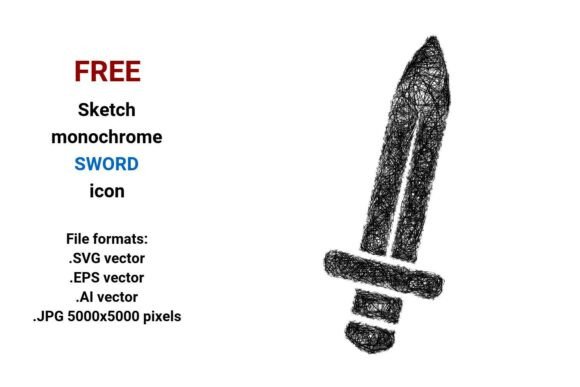
FREE Sketch Sword Icon
If you're building a game interface, designing a fantasy-themed app, crafting marketing assets for a tabletop RPG, or developing branding for a sword-making workshop—the FREE Sketch Sword Icon is a quietly powerful design asset. It’s not flashy or hyper-polished. Instead, it leans into expressive imperfection: clean yet hand-drawn, precise yet human. The lines breathe. They suggest motion, intent, and craft—not just a weapon, but a story waiting to be told.
A Vector Sword That Scales Without Compromise
This isn’t a raster image stretched thin across devices. The FREE Sketch Sword Icon comes in four production-ready formats: .SVG, .EPS, .AI, and .JPG (5000×5000 px). That means whether you’re embedding it into a responsive web UI, printing it at poster size on packaging, or dropping it into an Illustrator-based brand guideline—quality holds. SVG renders crisply on any screen. EPS and AI preserve full editability for designers who need to tweak stroke weight, adjust anchor points, or recolor on the fly. And the high-res JPG? Perfect for mockups, presentations, or platforms that don’t support vector uploads—without pixelation or soft edges.
As a vector image, it’s built from mathematical paths—not pixels. That’s why it’s ideal for melee weapon visuals in games, where icons must scale cleanly across mobile HUDs, desktop menus, and console overlays. No blurring. No re-rasterizing. Just consistent, confident line work.
Style With Purpose: Why “Sketch” Works So Well
The FREE Sketch Sword Icon lives in the sweet spot between clarity and character. It’s black and white, monochrome by design—so it integrates effortlessly with any color system. Its sketch style icon aesthetic uses subtle variation in line weight, slight tapering at stroke ends, and gentle curvature that mimics pencil pressure—not rigid geometry. You’ll notice small irregularities: a faint overshoot on the crossguard, a slightly uneven taper on the blade tip. These aren’t flaws. They’re cues that tell users this is handmade, intentional, and human-scaled.
That makes it especially effective for projects where authenticity matters: indie game studios signaling creative independence, craft businesses highlighting artisanal process, or educational tools teaching medieval weaponry. It reads as casual, not careless; artistic, not amateurish. Unlike sterile clip art or over-optimized UI icons, this handdrawn sword icon invites engagement—it feels like something you could sketch yourself, then trust enough to ship.
Where This Icon Earns Its Keep
- Game UI & HUD Design: Use the melee weapon button version as a selectable action icon—its sketch texture adds tactile warmth without competing with gameplay visuals.
- App Onboarding & Feature Illustration: Pair it with minimalist typography in a fitness app’s “sword training” module or a language-learning app’s “cut through confusion” metaphor.
- Brand Identity Systems: Works beautifully as a secondary symbol alongside a clean sans serif logo—adding contrast, personality, and narrative depth without undermining professionalism.
- Print & Packaging: Print flawlessly on business cards, t-shirts, or product tags—even at 12pt size, the line integrity holds. Try it reversed out of dark paper stock for elegant contrast.
- Social Media & Editorial Graphics: Drop it into Canva or Figma mockups for blog headers, Pinterest pins, or Instagram carousels about history, gaming culture, or martial arts.
Practical Integration Tips—No Guesswork Needed
Before dropping the FREE Sketch Sword Icon into your next project, ask two questions: Does it serve the user’s understanding—or just look cool? and Does it align with the tone of everything else around it?
For example: In a serious historical documentary website, this icon works best as a subtle section divider or navigation cue—not as a primary logo. But in a lighthearted D&D podcast banner? It’s perfect center stage. Test it at actual usage sizes: zoom out to 25% in your design tool. Does the blade still read as a sword—or collapse into a smudge? If yes, reduce complexity slightly (many vector editors let you simplify paths non-destructively).
Pairing is intuitive but worth testing. Try it beside a neutral sans serif like Inter or Roboto for digital interfaces—or a warm serif like Lora for editorial use. Avoid competing sketch-style fonts unless you’re intentionally building a cohesive doodle-style identity. Simplicity here is strategic: the icon carries the expressive weight, so surrounding elements should support—not echo—it.
Licensing & Real-World Use
This is a free resource—but “free” doesn’t mean “unrestricted.” Always verify the license terms before commercial deployment. Most versions allow unlimited personal and commercial use—including in client work, SaaS dashboards, and physical products—as long as attribution isn’t required. That said, if you’re embedding it into software you plan to resell or distribute widely (e.g., a Unity plugin), double-check whether redistribution rights are included. When in doubt, reach out to the creator or consult the source page.
You’ll also find this icon tagged broadly as sword icon, sketch button, melee weapon, and UI symbol—but its real strength lies in specificity. It’s not just *a* sword icon. It’s the sword icon that says “crafted,” “approachable,” and “ready to use”—not tomorrow, but now.
Final Thought: Tools Should Feel Like Extensions of Your Intent
Design assets like the FREE Sketch Sword Icon succeed when they disappear into the experience—when users focus on the sword’s meaning (combat, honor, skill, legacy) rather than its rendering. That’s rare. Most free icons sacrifice either fidelity or feeling. This one balances both. Whether you’re a solo developer prototyping a browser-based roguelike, a marketer launching a fencing school’s new site, or a publisher illustrating a YA fantasy series—you’re not just grabbing a symbol. You’re selecting a tone, a pace, a voice. And sometimes, the most memorable weapons aren’t the sharpest—they’re the ones drawn with care.