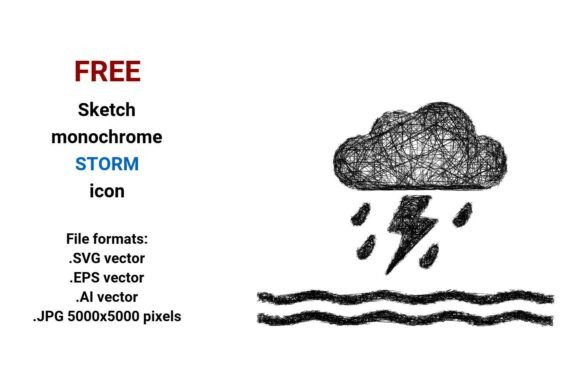
FREE Sketch Storm Icon
If you're looking for a weather-themed visual that feels alive—not sterile, not over-polished—then the FREE Sketch Storm Icon is worth your attention. It’s not another flat, algorithmically generated icon. This one breathes with the energy of a hand-drawn line: quick, confident strokes suggesting wind, churning sea, and atmospheric tension—all in black and white. The sketch aesthetic isn’t messy; it’s intentional—slightly uneven contours, subtle tapering on lines, and just enough irregularity to signal human authorship. That makes it stand out in UIs, editorial layouts, or branding where warmth and authenticity matter.
Four Formats, One Flexible Asset
You get the FREE Sketch Storm Icon in four practical formats: .SVG, .EPS, .AI, and .JPG (5000×5000 px). That means real-world flexibility—not theoretical “scalability.” SVG works natively in modern web design without loading bloat. EPS and AI let you open, edit, and re-color the vector cleanly inside Illustrator or Affinity Designer—ideal if you need to tweak stroke weight or integrate it into a larger vector illustration. The high-res JPG? Perfect for quick mockups, social media banners, or print-ready assets when vector isn’t supported—no pixelation, even at poster size.
This isn’t just about file types—it’s about workflow respect. Designers don’t want to convert, trace, or beg for editable layers. With this set, you drop it in and move forward.
Where This Icon Earns Its Place
The FREE Sketch Storm Icon thrives where contrast matters: between digital precision and tactile expression, between urgency and approachability. Think sea storm warnings on a coastal tourism site—where a clinical icon would feel cold, but this sketch version adds narrative weight without sacrificing clarity. Or imagine it as a button icon in a weather app dashboard: minimal, legible at 32px, yet expressive enough to suggest motion and atmosphere.
It also works quietly behind the scenes—in editorial design for climate journalism, in packaging for artisanal sea salt or ocean-inspired teas, or as part of a larger icon system for an environmental nonprofit. Its sketch character softens technical topics. You’re not just showing “storm”—you’re implying observation, response, human presence within weather systems.
For bloggers and content creators, it slots neatly into infographics, newsletter headers, or Pinterest pins about marine safety, sailing tips, or coastal photography. No licensing friction. No attribution required. Just clean, usable design energy.
Why Sketch Style Works for Sea & Weather Themes
Sketch icons like this one tap into something intuitive: we associate hand-drawn marks with field notes, sailor logs, weather journals, and storm tracking maps drawn by eye—not algorithms. That association builds instant credibility in contexts tied to nature, exploration, or real-time conditions. A polished, geometric storm icon says “forecast model.” This one says “I watched the horizon darken.”
That distinction matters for audience engagement. In education or advocacy materials, perceived authenticity increases trust. In marketing for eco-conscious brands, it reinforces values—thoughtful, grounded, human-centered. And because it’s monochrome, it adapts effortlessly to dark mode interfaces, textured backgrounds, or spot-color print jobs without color shifts or registration issues.
Pairing & Practical Integration Tips
Don’t force contrast—invite it. Pair the FREE Sketch Storm Icon with clean, highly legible sans serifs (like Inter, Lato, or Montserrat) for UI buttons or web labels. The sketchiness gains definition against typographic neutrality. Avoid competing handwritten fonts nearby—this icon carries enough personality on its own.
In print or editorial use, consider stroke weight harmony. If your layout uses 0.75pt hairlines elsewhere, match that in the icon’s exported vector—or scale it slightly to preserve visual rhythm. Test at actual usage sizes: zoom out to 25% in your design app and ask, “Is the sea-storm gesture still readable?” Often, simplifying the background context (e.g., removing unnecessary clouds or waves) sharpens recognition more than adding detail.
For crafters and hobbyists: yes, this works in Cricut or Silhouette software—export the SVG, ungroup elements if needed, and cut or engrave on wood, leather, or vinyl. The bold outlines hold up well in physical mediums.
Licensing That Doesn’t Get in Your Way
This is truly free—no hidden tiers, no “personal use only” traps. You can use the FREE Sketch Storm Icon commercially: in client websites, SaaS dashboards, merch designs, eBook covers, or YouTube thumbnails. No royalties. No mandatory credit—though a quiet link back is always appreciated. That freedom matters when you’re iterating fast or building reusable design systems.
Just remember: while the icon itself is free, how you apply it isn’t automatic. A great asset still needs thoughtful placement. Does it support your message—or distract from it? Does it align with your brand’s broader tone? If your identity leans minimalist and tech-forward, this sketch icon may need careful framing. But if your voice is curious, grounded, or story-driven? It’ll feel like it belonged there all along.
A Note on Vector Integrity
Vector doesn’t mean “vague.” A true vector image—like the FREE Sketch Storm Icon in SVG, EPS, or AI—preserves every anchor point, curve handle, and stroke property. That’s why resizing to billboard size or shrinking to favicon scale keeps edges crisp and proportions intact. It’s not resolution-dependent. It’s math-dependent. So when you see “vector” listed here, it’s not marketing jargon—it’s functional assurance.
And because it’s built with clean paths and minimal nodes, it imports smoothly into Figma, Sketch, Adobe XD, or web frameworks like React Icons—no broken paths, no missing gradients, no surprise rasterization.
If you work with sea, storm, weather, or atmospheric themes—and value clarity without coldness—the FREE Sketch Storm Icon isn’t just another download. It’s a small, reliable piece of visual language that does its job with quiet confidence.