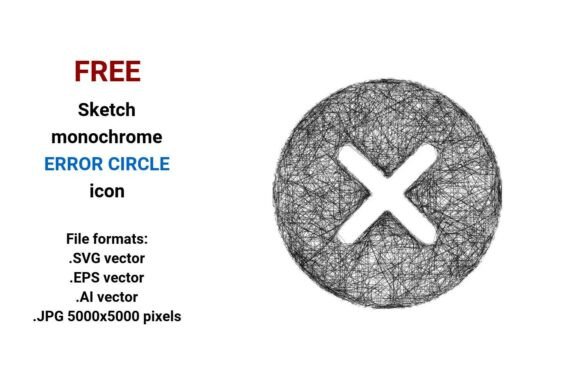
FREE Sketch Error Circle Icon
Need a friendly yet clear visual cue for errors, warnings, or alerts? The FREE Sketch Error Circle Icon delivers exactly that — a hand-drawn, approachable circle with an “X” or cross mark, designed to signal something’s off without feeling cold or intimidating. Unlike sterile, overly polished icons, this one carries warmth and intention: think pencil-on-paper texture, subtle uneven strokes, and gentle imperfections that make interfaces feel more human.
What Makes This Icon Stand Out?
This isn’t just another generic error symbol. It’s a sketch-style error circle icon — meaning it’s intentionally rough, minimal, and monochrome. Its black-and-white design ensures versatility across light and dark UIs, while its sketch aesthetic softens the message of failure or correction. Whether you’re building a web app, designing a mobile form, or crafting educational slides, this icon helps users pause and notice — without triggering frustration.
Four Formats, One Flexible Resource
You get four ready-to-use file types — each serving different needs:
- .SVG vector: Perfect for websites and responsive apps. Scales infinitely, loads fast, and works natively in HTML/CSS.
- .EPS vector: Ideal for print projects or legacy design tools. Widely supported in Adobe Illustrator, CorelDRAW, and InDesign.
- .AI vector: A native Adobe Illustrator file — great if you want to tweak colors, adjust stroke weight, or edit anchor points directly.
- .JPG (5000×5000 px): High-res raster version for quick insertion into presentations, social graphics, or documents where vector support isn’t available.
All formats preserve the same authentic handdrawn vector icon quality — no pixelation, no distortion, no guesswork.
Why Use a Sketch-Style Error Icon?
Think about how people react to error messages. A stiff, geometric icon can feel like a scolding. But a freehand sketch icon, with its slight curve variations and pencil-like stroke, adds empathy. It says, “Hey, this happens — let’s fix it together.” That subtle shift matters — especially for beginner users, educators explaining digital tools, or small business owners building customer-facing forms.
It also supports clean, modern UI design. Because it’s monochrome and minimal, it pairs effortlessly with minimalist themes, dashboards, and landing pages. And since it’s built as a vector image — made from mathematical paths rather than pixels — you can scale it from a tiny button (16×16 px) to a full-screen illustration (10,000×10,000 px) with zero loss in clarity.
Real-World Uses You’ll Appreciate
Here’s where this error icon circle truly shines:
- Web & App Interfaces: Place it beside invalid form fields (like an email that doesn’t match the format), inside alert modals, or as part of a status bar showing sync failures.
- Educational Materials: Teachers and course creators use it in slide decks or PDF worksheets to highlight common mistakes in math problems, grammar checks, or coding exercises.
- Marketing & Social Content: Add it to infographics showing “what not to do,” comparison charts, or checklist visuals where you want to draw attention to a red-flag item.
- Printed Resources: Brochures, instruction manuals, or workshop handouts benefit from its legibility at any size — especially when printed in grayscale or single-color ink.
- UI Kits & Design Systems: Freelancers and product teams drop it into shared libraries as a consistent, accessible error circle button or inline button icon.
A Few Practical Notes Before You Download
While this sketch error circle icon is free and flexible, keep these points in mind:
- Color flexibility: Though delivered in black-and-white, the vector files let you recolor it easily — ideal if your brand uses red, orange, or even teal for alerts.
- Accessibility matters: Pair it with descriptive text (e.g., “Error: Please enter a valid phone number”) — never rely on the icon alone. Screen readers won’t interpret visual cues without proper ARIA labels or alt text.
- Consistency counts: If you’re using other icons in your project, check their style. A highly detailed line icon next to this rough sketch may feel mismatched. Consider using it alongside other sketched or hand-drawn vector icon resources for harmony.
- Licensing clarity: It’s free for personal and commercial use — no attribution required — but always verify the source license before embedding in high-stakes products like SaaS platforms or paid templates.
How It Fits Into Your Creative Workflow
Whether you're sketching wireframes in Figma, laying out a blog post in WordPress, or prepping a client pitch deck in Keynote, this error circle icon slots in smoothly. Its rough sketch style icon nature makes it feel intentional — not placeholder. And because it comes in both vector and high-res JPG, you’re covered whether you're editing live code or handing off assets to a non-designer colleague.
For bloggers and marketers, it’s a quiet upgrade: swapping out a default system icon for something more expressive builds subtle trust. For educators and freelancers, it’s a time-saver — no need to draw or search endlessly for “friendly error symbol.” For developers and UI designers, it’s a lightweight, scalable asset that respects performance and accessibility best practices.
At its core, the FREE Sketch Error Circle Icon is more than a graphic — it’s a thoughtful tool for communicating clearly, kindly, and effectively. And with four formats included, you’re not just getting an icon. You’re getting confidence that it will work — wherever you need it.