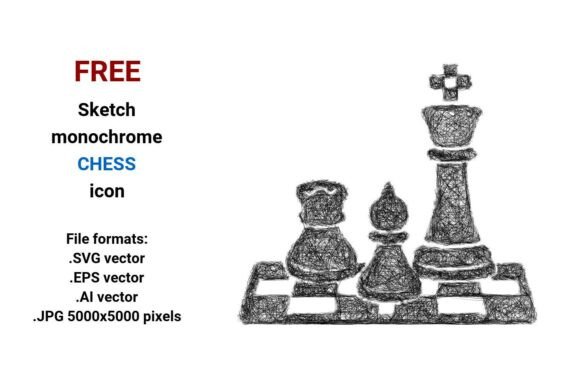
FREE Sketch Chess Icon
If you're designing a website, app interface, educational resource, or marketing asset related to chess game, board game, or strategic thinking—and you need an expressive yet clean visual—you’ve likely searched for a FREE Sketch Chess Icon. What makes this particular set stand out isn’t just that it’s free—it’s the thoughtful combination of artistic authenticity and technical flexibility. With four file formats—.SVG vector, .EPS vector, .AI vector, and a high-res .JPG (5000x5000 pixels)—it bridges hand-drawn charm with professional usability.
Why “Sketch Style” Matters More Than You Think
A sketch chess icon isn’t just decorative—it signals approachability, creativity, and human intention. Unlike rigid, geometric icons, a black and white sketch version invites users into a space where strategy feels personal and learnable. That’s especially valuable for educators building beginner-friendly lessons, startups launching a playful chess game app, or bloggers illustrating concepts like decision-making or foresight. But here’s where many go wrong: assuming “sketch” means “low fidelity.” In reality, a well-executed vector chess icon in sketch style retains precision, scalability, and editability—without sacrificing character.
Common Missteps—and How to Avoid Them
Mistake #1: Downloading only the JPG and assuming it’s sufficient.
Yes, the 5000x5000 .JPG looks sharp on screens—but it’s a raster image. Resize it larger than intended? You’ll get pixelation. Use it in a responsive web layout? It won’t scale cleanly across devices. Worse, you can’t recolor it or adjust stroke weight without editing software and loss of quality. The fix is simple: always start with the vector files (.SVG, .EPS, or .AI). They’re infinitely scalable, editable in tools like Figma, Illustrator, or even free editors like Inkscape—and perfect for dark mode, branding variations, or UI buttons.
Mistake #2: Overlooking format compatibility for your workflow.
Not all vectors are equal in practice. An .AI file requires Adobe Illustrator to edit natively; .EPS works across older design suites but may lack modern transparency support; .SVG is web-ready and lightweight—ideal for buttons, icons in HTML/CSS, or CMS uploads. If you’re a marketer embedding icons into email templates or a developer building a React component, prioritize the .SVG. If you’re preparing print-ready assets for a board game box or poster, lean on .EPS or .AI for full layer control.
Mistake #3: Assuming “free” means “no restrictions.”
This FREE Sketch Chess Icon set is truly royalty-free for personal and commercial use—but always verify the license terms before integrating into client work or SaaS products. Some “free” icons hide attribution requirements or ban use in logo design. This one doesn’t. Still, treat it like any professional asset: keep the source organized, note the version, and store vectors alongside documentation—not just the JPG you grabbed first.
What to Check Before You Use It
Before dropping a sketch chess button into your interface or presentation, ask yourself three things:
- Is contrast appropriate? Since it’s monochrome, test it against your background. A thin-line line art version may vanish on light gray UIs—consider slightly bolding strokes or adding subtle drop shadows in CSS or Figma.
- Does it align with your tone? A rough, scribble icon-style piece suits a startup blog about creative problem-solving. But for a formal university course on game theory, a cleaner outline or minimal variant (also included in this set) may communicate rigor more effectively.
- Is it contextually legible at target size? Zoom out to 24px—the typical size for a navigation icon. Does the king’s crown or pawn’s curve still read clearly? If not, choose the bolder sketch variant or switch to the .SVG and simplify paths manually. Don’t force a detailed doodle where clarity matters most.
Better Choices Start With Intentional Use
Think beyond “I need a chess icon.” Ask instead: What action should this prompt? What feeling should it evoke? Where will it live? A chess button on a mobile app’s home screen needs fast recognition—so pair the sketch icon with clear label text and consistent spacing. A board game icon in a classroom handout benefits from the organic texture—it subtly reinforces learning as a human, iterative process.
And don’t underestimate versatility. That same handdrawn rook can become a bullet point in a strategy deck, a watermark on a tutorial video, or a subtle pattern repeat in a presentation background—all because it’s delivered as editable vector files. No need to trace, redraw, or beg a designer for tweaks.
Final Thought: Quality Sketch Isn’t About Imperfection—It’s About Intention
A great artistic sketch icon balances looseness and control. The lines in this FREE Sketch Chess Icon set aren’t sloppy—they’re deliberate: confident pen strokes, balanced negative space, and proportions that echo classic chess pieces while feeling fresh. That’s why it works equally well as a UI button, a design element in a pitch deck, or a startup’s visual anchor for “strategic thinking.”
So whether you’re prototyping a new chess game concept, designing a workshop on decision frameworks, or simply refreshing your portfolio site’s board-themed section—choose the vector format first, test early in context, and let the sketch style do what it does best: make strategy feel human, accessible, and quietly powerful.