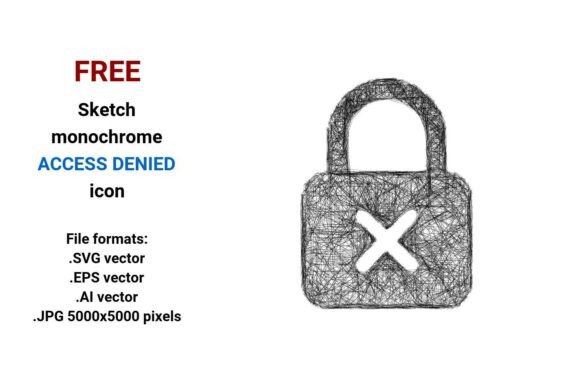
FREE Sketch Access Denied Icon: Hand-Drawn, Scalable, and Ready for Real Projects
If you’ve ever needed an access denied icon that feels human—not robotic—yet still works flawlessly across screens, print, and prototypes, the FREE Sketch Access Denied Icon is likely what you’ve been searching for. It’s not a stiff, corporate lock-and-shield graphic. It’s a pen-drawn, slightly imperfect, intentionally sketchy “access denied” symbol—deliberately informal, yet highly functional. And it comes in four versatile file formats: .SVG vector, .EPS vector, .AI vector, and a high-res .JPG (5000×5000 pixels).
Where This Sketch Access Denied Icon Fits Naturally
This isn’t just another icon to stash in a folder. It thrives where tone matters as much as function—especially when clarity needs warmth.
Startup dashboards and SaaS tools often use minimal, hand-drawn UI elements to soften technical friction. Imagine a user clicking “View Report” only to hit a permissions wall—seeing a clean but friendly sketch access denied icon instead of a harsh red exclamation mark helps reduce frustration. It signals, “This isn’t broken—you just need different access,” without sounding cold or bureaucratic.
Educational platforms and internal training apps benefit too. When instructors build custom learning modules in tools like Figma or Webflow, they frequently layer visual metaphors over abstract concepts like “permission denied.” A sketch-style icon acts as both cue and comfort—it’s instantly legible, but also approachable enough for learners who feel intimidated by tech jargon.
Printed materials—like workshop handouts, onboarding kits, or UX research decks gain personality with this icon. Because it’s delivered as a vector image, it scales from a 12pt footnote symbol to a full-page illustration without blurring or pixelation. That flexibility means one download serves multiple mediums—no hunting for alternate versions.
Who Uses It—and Why the Format Mix Matters
Designers, product managers, and indie developers are among the most frequent users—but their reasons differ.
- UI/UX designers reach for the .SVG and .AI files when building interactive prototypes. SVG embeds cleanly into HTML/CSS; AI integrates smoothly into design systems and style guides. The sketchy stroke weight and uneven line quality translate well to dark mode interfaces—unlike rigid icons that can look brittle or out of place.
- Marketing teams often grab the .JPG (5000×5000) for social media banners, email headers, or presentation slides. High resolution ensures crispness on retina displays and large-format prints—even when scaled down for thumbnails, the hand-drawn texture remains visible and intentional.
- Print designers and illustrators rely on the .EPS version for compatibility with legacy layout software (like older versions of InDesign) or for prepress workflows where vector fidelity is non-negotiable.
That’s the real advantage of having all four formats: no last-minute conversions, no quality compromises, no frantic searches for “vector access denied icon PNG transparent background.” Everything is ready—right out of the download.
What Makes It a “Sketch” Icon—And Why That Counts
A vector image is built from math—not pixels—which means it’s infinitely scalable. But not all vectors feel the same. This one uses deliberate stroke-based line art: uneven pencil weight, slight wobbles, subtle tapering at line ends. It’s not generated by AI or traced from stock—it reads as hand drawn sketch, not algorithmic mimicry.
That authenticity resonates in contexts where users expect empathy over efficiency. For example:
- A mental health app restricting sensitive journal entries might use this icon next to a “Locked” label—not to block, but to gently reinforce privacy boundaries.
- A creative agency’s client portal could display it beside gated case studies, signaling exclusivity without alienating visitors.
- In accessibility audits, designers sometimes test how icons perform under low-vision settings. The bold outline and clear negative space in this sketch access denied icon maintain legibility even when simplified or zoomed—unlike overly delicate or decorative hand-drawn variants.
Things to Keep in Mind Before You Drop It In
It’s FREE—and incredibly flexible—but context still shapes impact.
First: audience expectations matter. In highly regulated industries (finance, healthcare), some stakeholders prefer formal, standardized symbols—like ISO-compliant “no entry” glyphs—for legal or compliance clarity. A sketchy icon may feel too casual there unless carefully paired with explicit text (“Permission denied: Contact your administrator”).
Second: consistency within your system. If your app uses ultra-minimal flat icons everywhere else, dropping in a textured sketch icon can create visual dissonance. Consider adapting its stroke weight or color palette to match your existing UI button set—or reserve it for specific, emotionally nuanced moments (e.g., empty states, permission gates, onboarding hiccups).
Third: file format nuance. While the .SVG works beautifully on websites, remember that older email clients don’t render SVGs reliably—so if you’re embedding in newsletters, lean on the .JPG version. And while .EPS is great for print, many modern web tools don’t open it directly—so keep your .SVG handy for digital reuse.
More Than Just “Denied”—It’s About Tone, Trust, and Clarity
Icons do heavy lifting in interface design. They compress meaning into milliseconds. A generic “access denied” icon says, “You can’t.” A sketch access denied button says, “We see you tried—and here’s why it didn’t work, kindly.” That small shift supports better user retention, fewer support tickets, and more intuitive navigation.
It’s also surprisingly adaptable beyond digital screens. Teachers print it onto classroom “permission slip” templates. Community organizers use it on collaborative whiteboard posters to indicate “this section requires group consensus.” Even physical product teams stick it on prototype boxes labeled “Firmware access restricted—engineering review required.”
The strength lies in its duality: it’s isolated (clean background, no distractions), minimal (no extra ornamentation), and informal (no sterile perfection)—yet still communicates authority and boundary. That balance is rare. And because it’s a vector access denied icon, you’re never choosing between charm and scalability.
Whether you're mocking up a new admin panel, designing a workshop activity, or refreshing a legacy system’s error language—the FREE Sketch Access Denied Icon gives you a grounded, human-centered way to say “not now” without sounding dismissive. And with those four formats? You’re covered—from sketchpad to server, pencil to pixel.